 PassPathways
To cancel your Study.com subscription, log in, open the Manage Membership page, click the cancellation link at the bottom, pick a reason, and click Cancel Subscription. That last click is required. You keep access until your billing cycle ends, and you can still request transcripts for courses you’ve completed.
How do you cancel Study.com?
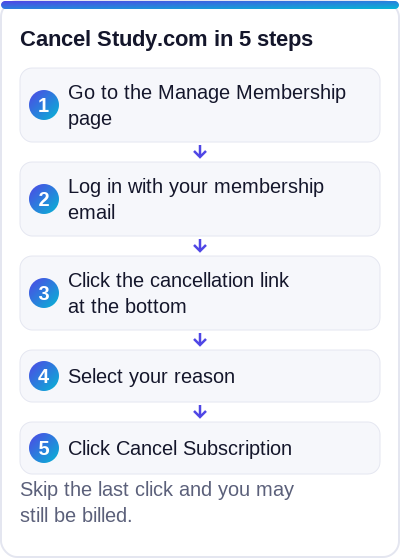
The step people miss is the last one: choosing a reason isn’t enough until you click Cancel Subscription and see a confirmation.
These steps come from Study.com’s cancellation article:
- Go to Study.com’s Manage Membership page.
- Log in with your membership email and password.
- Click the cancellation link at the bottom of the page.
- Select your reason for cancelling.
- Click Cancel Subscription.
Study.com says you must complete that final step. If you stop at the reason screen, you may still be billed. Look for a confirmation, and keep a copy.
The site layout can change. Its Terms of Use describe a similar route, through the Membership and Billing menu on your dashboard.
When should you cancel?
Before your next billing date. The Terms of Use say you must cancel before your plan renews to avoid the next charge. They don’t set a number of days, so don’t leave it until the last moment. Find your date under Membership & Billing, and cancel a few days ahead.
What happens after you cancel?
| What | What Study.com says |
|---|---|
| Access | Continues to the end of your billing cycle |
| Next charge | Won’t be taken |
| Course progress | Kept if you resubscribe |
| Completed grades | Stay on your account |
| Transcripts | Can still be requested |
| Refund | Not automatic |
You don’t need an active plan to get a transcript. If your account is cancelled, log in and scroll below the Reactivate button to find the transcript link. You won’t need to reactivate. Our Study.com transcript request guide has the steps.
What should you finish first?
Some things need an active plan. Before your billing cycle ends, try to:
- Take your final exam, or any retake.
- Submit or resubmit your assignments.
- Check your course grades have posted.
If you’ve already submitted work, you can cancel while it’s being graded. Your score will still post. If a grader asks for changes, though, you’ll need an active plan to resubmit.
Should you pause instead?
Pausing may suit you better if you plan to come back. Study.com lets you pause from the Membership tab:
- Log in and open Membership.
- Click Membership & Billing.
- Select Pause Membership.
- Choose how long, and confirm.
Your card won’t be charged at your next billing date, and your access is restricted. When the pause ends, Study.com notifies you that your account is being reactivated, so put that date in your calendar.
Should you downgrade instead?
If you’re on College Saver Pro and only need general education courses, moving to College Saver may be enough. It saves $140 a month, but check first. Downgrading can remove access and progress in Pro-only courses. See how much Study.com costs.
Can you get your money back?
Only if you qualify under a money-back offer. Read our Study.com refund guide before you cancel, so you don’t miss the window. If you’re leaving because you’re stuck, our 7-day plan to pass Study.com courses may help you finish first.
Taking Sophia courses too? See how to cancel your Sophia subscription.
Cancelling because you’re stuck? Before you give up on a course, talk to a tutor. Learning one hard topic may be all it takes. Talk to a tutor.
Cancel Study.com subscription FAQ
Can I cancel Study.com at any time? Yes. Study.com says you can cancel at any time, and you keep access until the billing cycle ends.
Will I lose my courses if I cancel? No. Study.com says your progress is kept if you resubscribe.
Can I still get my transcript after cancelling? Yes. You don’t need an active plan to request one.
Can I come back later? Yes. Log in and update your subscription. Check for course changes first.
Last checked: October 31, 2026
Related
PassPathways is an independent resource and is not affiliated with Study.com.
Stuck while your plan keeps renewing?
Each extra month adds to what you pay. A tutor can teach you the part that is holding you up, so you can get back to your course. Graded work stays yours, as Study.com requires.
- Tell us where you're stuck. Share your course and what feels hard.
- We reply on WhatsApp or email. No forms to wait on if you'd rather chat.
- A tutor explains it and builds a plan with you, so you understand the material and pass on your own.
- Original guides, fact-checked against official Study.com sources
- Honest, ethical tutoring: we teach, you do your own work